Version: 10.0

Template usage

In the following we will show you step by step how to use templates when converting HTML files.

tip

For more information on the FreeMarker template engine, please visit https://freemarker.apache.org/docs/index.html

Prepare the files

Two files are needed for templating. The HTML source file, which specifies the structure and design of the resulting PDF, and the JSON data, which is used to replace variables at various points in the HTML.

info

Variables from JSON data must be prefixed with the namespace custom for example ${custom.structures.variablenames}

The HTML source file

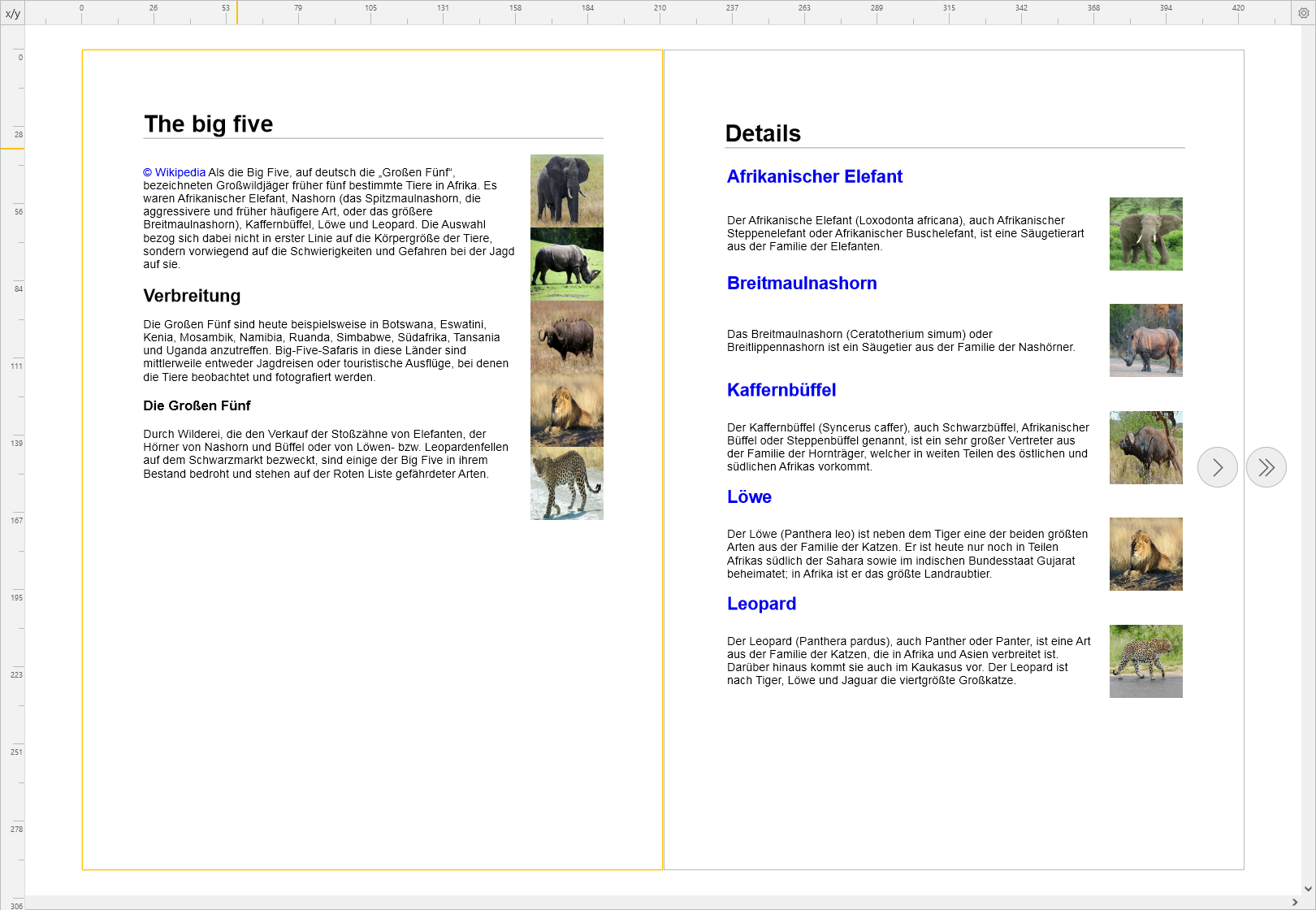
In the following example, the source file provides a structure that will later result in two A4 pages. The first page consists of static content and images linked from external pages. The second page will consist of dynamic content filled with variables. Variables are specified in this form ${custom.structures.variablenames}. Also a loop over a list of content is used to avoid repetitions in the structure.

source file
<html>
<head>
<meta http-equiv="content-type" content="text/html;charset=UTF-8"/>
<style>
a {
text-decoration: none;
}

h1 {
border-bottom: 1px solid #999;
}

h2 {
margin-bottom: 10px;
}

.content-box {
display: flex;
}

.content-box p {
margin-right: 20px;
}

.images {
width: 100px;
}

.images img {
width: 100px;
height: 100px;
}

.table-img {
width: 100px;
height: 100px;
margin-left: 20px;
}

* {
font-family: Arial, sans-serif;
box-sizing: border-box;
}
</style>
<style media="print">
/* This definition is used to create a new page after each .page block during conversion */
div.page {
page-break-after: always;
page-break-inside: avoid;
}
</style>
</head>
<body>
<!-- The first page with static content and linked images -->
<div class="page">
<h1>The big five</h1>
<div class="content-box">
<div class="text">
<p>
<a href="https://de.wikipedia.org/wiki/Big_Five_(Safari)">© Wikipedia</a> Als die Big Five, auf deutsch
die „Großen Fünf“, bezeichneten Großwildjäger früher fünf bestimmte Tiere in Afrika. Es waren
Afrikanischer Elefant, Nashorn (das Spitzmaulnashorn, die aggressivere und früher häufigere Art, oder
das größere Breitmaulnashorn), Kaffernbüffel, Löwe und Leopard. Die Auswahl bezog sich dabei nicht in
erster Linie auf die Körpergröße der Tiere, sondern vorwiegend auf die Schwierigkeiten und Gefahren bei
der Jagd auf sie.
</p>
<h2>Verbreitung</h2>
<p>
Die Großen Fünf sind heute beispielsweise in Botswana, Eswatini, Kenia, Mosambik, Namibia, Ruanda,
Simbabwe,
Südafrika, Tansania und Uganda anzutreffen. Big-Five-Safaris in diese Länder sind mittlerweile entweder
Jagdreisen oder touristische Ausflüge, bei denen die Tiere beobachtet und fotografiert werden.
</p>
<h3>Die Großen Fünf</h3>
<p>
Durch Wilderei, die den Verkauf der Stoßzähne von Elefanten, der Hörner von Nashorn und Büffel oder von
Löwen- bzw. Leopardenfellen auf dem Schwarzmarkt bezweckt, sind einige der Big Five in ihrem Bestand
bedroht
und stehen auf der Roten Liste gefährdeter Arten.
</p>
</div>
<div class="images">
<img src="https://upload.wikimedia.org/wikipedia/commons/thumb/a/a0/African_Elephant_%28188286877%29.jpeg/1280px-African_Elephant_%28188286877%29.jpeg"/>
<img src="https://upload.wikimedia.org/wikipedia/commons/thumb/8/82/Neushoorn.JPG/1024px-Neushoorn.JPG"/>
<img src="https://upload.wikimedia.org/wikipedia/commons/thumb/2/22/African_buffalo_Syncerus_caffer_nu.jpg/1280px-African_buffalo_Syncerus_caffer_nu.jpg"/>
<img src="https://upload.wikimedia.org/wikipedia/commons/7/73/Lion_waiting_in_Namibia.jpg"/>
<img src="https://upload.wikimedia.org/wikipedia/commons/thumb/a/a1/Namibie_Etosha_Leopard_01edit.jpg/1280px-Namibie_Etosha_Leopard_01edit.jpg"/>
</div>
</div>
</div>

<!-- The second page with dynamic content -->
<div class="page">
<h1>Details</h1>

<table>
<!-- At this point it is iterated over the individual contents of the data list -->
<#list custom.data as data>
<tr>
<td colspan="2"><h2><a href="${data.link}">${data.title}</a></h2></td>
</tr>
<tr>
<td>${data.text}</td>
<td><img class="table-img" src="${data.image}"/></td>
</tr>
</#list>
</table>
</div>

</body>
</html>

The JSON file

The JSON data is used to fill the dynamic part of the HTML file. It consists of a data array, which can be looped as mentioned above and repeating variable structures. For images external links are used in this example, but other capabilities of HTML could be used like for example base64 data.

JSON file
{
"data": [
{
"title": "Afrikanischer Elefant",
"link": "https://de.wikipedia.org/wiki/Afrikanischer_Elefant",
"image": "https://upload.wikimedia.org/wikipedia/commons/thumb/d/dc/Elephant_near_ndutu.jpg/450px-Elephant_near_ndutu.jpg",
"text": "Der Afrikanische Elefant (Loxodonta africana), auch Afrikanischer Steppenelefant oder Afrikanischer Buschelefant, ist eine Säugetierart aus der Familie der Elefanten."
},
{
"title": "Breitmaulnashorn",
"link": "https://de.wikipedia.org/wiki/Breitmaulnashorn",
"image": "https://upload.wikimedia.org/wikipedia/commons/thumb/5/5b/Ceratotherium_simum_%2821922261908%29.jpg/450px-Ceratotherium_simum_%2821922261908%29.jpg",
"text": "Das Breitmaulnashorn (Ceratotherium simum) oder Breitlippennashorn ist ein Säugetier aus der Familie der Nashörner."
},
{
"title": "Kaffernbüffel",
"link": "https://de.wikipedia.org/wiki/Kaffernb%C3%BCffel",
"image": "https://upload.wikimedia.org/wikipedia/commons/thumb/7/78/Buffalo_Syncerus_caffer_%286628923469%29.jpg/450px-Buffalo_Syncerus_caffer_%286628923469%29.jpg",
"text": "Der Kaffernbüffel (Syncerus caffer), auch Schwarzbüffel, Afrikanischer Büffel oder Steppenbüffel genannt, ist ein sehr großer Vertreter aus der Familie der Hornträger, welcher in weiten Teilen des östlichen und südlichen Afrikas vorkommt."
},
{
"title": "Löwe",
"link": "https://de.wikipedia.org/wiki/L%C3%B6we",
"image": "https://upload.wikimedia.org/wikipedia/commons/thumb/7/73/Lion_waiting_in_Namibia.jpg/450px-Lion_waiting_in_Namibia.jpg",
"text": "Der Löwe (Panthera leo) ist neben dem Tiger eine der beiden größten Arten aus der Familie der Katzen. Er ist heute nur noch in Teilen Afrikas südlich der Sahara sowie im indischen Bundesstaat Gujarat beheimatet; in Afrika ist er das größte Landraubtier."
},
{
"title": "Leopard",
"link": "https://de.wikipedia.org/wiki/Leopard",
"image": "https://upload.wikimedia.org/wikipedia/commons/thumb/d/d0/Leopard_%28Panthera_pardus%29_male_walking_on_the_road_..._%2850148578263%29.jpg/450px-Leopard_%28Panthera_pardus%29_male_walking_on_the_road_..._%2850148578263%29.jpg",
"text": "Der Leopard (Panthera pardus), auch Panther oder Panter, ist eine Art aus der Familie der Katzen, die in Afrika und Asien verbreitet ist. Darüber hinaus kommt sie auch im Kaukasus vor. Der Leopard ist nach Tiger, Löwe und Jaguar die viertgrößte Großkatze."
}
]
}

Call via the wsclient

Java wsclient call
public class ConvertAsTemplate {
/**
* Adapt the following fields accordingly:
*/
private static final File sourceDocument = new File("The path to your source file");
private static final File templateDocument = new File("The path to your template file");
private static final File targetDocument = new File("The path to your target file");
private static final String webPDFServerURL = "http://localhost:8080/webPDF/";

/**
* <p>
* This usage example for the webPDF {@link ConverterRestWebService} shall demonstrate the conversion
* of HTML as template to a PDF document.
*
* <b>Be aware:</b> You have to adapt the fields of this class accordingly, otherwise this example
* is not runnable.
* </p>
*/
public static void main(String... args) throws Exception {
/** Initialize a simple {@link SessionContext}. */
SessionContext sessionContext = new SessionContext(
WebServiceProtocol.REST,
new URL(webPDFServerURL)
);

try (
/** Initialize the session with the webPDF Server (using REST): */
RestSession<RestDocument> session = SessionFactory.createInstance(sessionContext)
) {
/** Instantiate the {@link WebService} interface type you want to call.
* (using {@link WebServiceType.CONVERTER} here): */
ConverterRestWebService<RestDocument> converterWebService =
session.createWebServiceInstance(WebServiceType.CONVERTER);

/** Upload your document to the REST sessions´s document storage. */
RestDocument restDocument = session.uploadDocument(sourceDocument);

/** Request the parameter tree root, to begin parameterizing your webservice call: */
OperationConverter converterOperation = converterWebService.getOperationParameters();

OperationTemplateData templateData = new OperationTemplateData();
templateData.setValue(FileUtils.readFileToByteArray(templateDocument));

OperationConverterHtml html = new OperationConverterHtml();
html.downloadImages(true);
html.useAsTemplate(true);
html.setTemplateData(templateData);
converterOperation.setHtml(html);

/** Execute the webservice and download your result document: */
converterWebService.process(restDocument).downloadDocument(targetDocument);
} catch (ResultException ex) {
/** Should an exception have occurred, you can use the following methods to request further
* information about the exception: */
int errorCode = ex.getErrorCode();
Error error = ex.getClientError();
String message = ex.getMessage();
Throwable cause = ex.getCause();
String stMessage = ex.getStackTraceMessage();

/** Also be aware, that you may use the subtypes {@link ClientResultException},
* {@link ServerResultException} and {@link AuthResultException} to differentiate the different
* failure sources in your catches. */
}
}
}

Usage in the portal

The following shows which steps are necessary in the portal to use an HTML template. An HTML source file and a JSON file are used as example files.

After you have logged in, you can upload the HTML document to the portal. The document will be added to the central document manager of the portal. Select the document and open the Convert to PDF function.
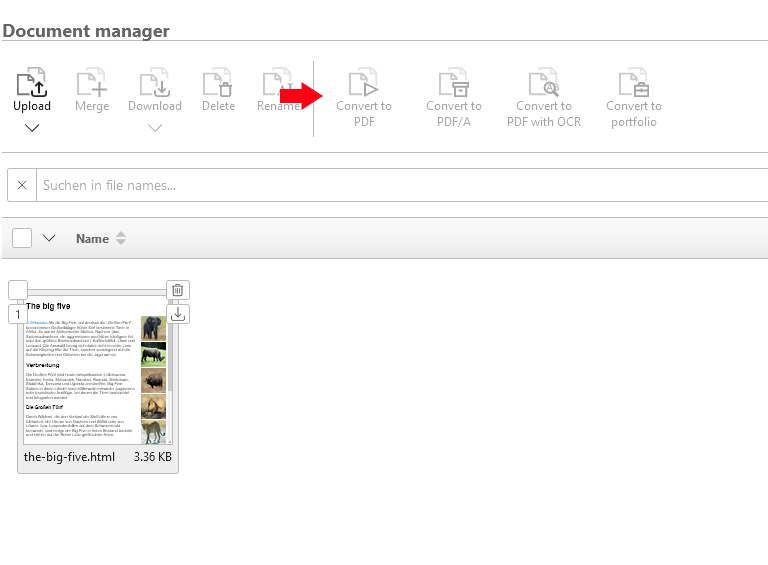
Templating in the portal step 1

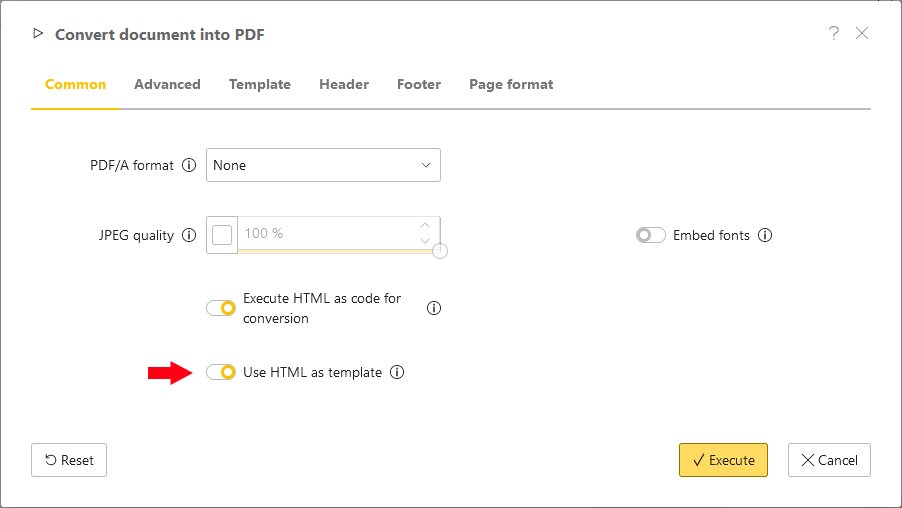
Templating in the portal step 2

Once the dialog is displayed, activate the option Use HTML as template

In the Advanced tab, activate the Download images option to add images from external urls to the PDF, which will be used in this example.
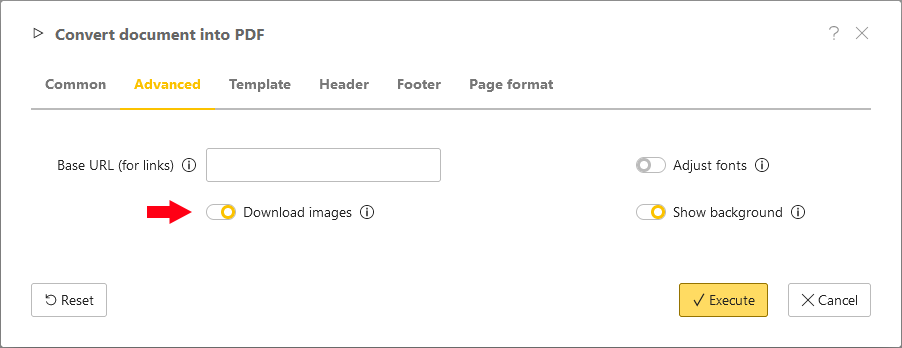
Templating in the portal step 3

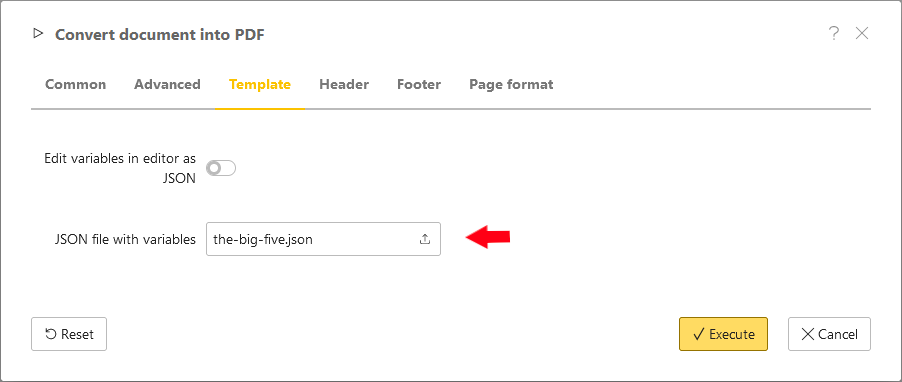
Templating in the portal step 4

In the last step, switch to the Template tab and upload the JSON file with the template data.

Now the conversion can be started. If you have followed this example, you should now have created a PDF file with two pages and can download it
Templating in the portal step 5